The café counter that keeps billing when the internet doesn’t.
Billing, tables, waiter phones and a kitchen screen, all running on your café Wi-Fi. Diners order from a table QR. Nothing reaches the kitchen until your staff scan it.
Windows PC · Nepali cafés, tea houses and restaurants · Prices in Rs
Your café
Table 4
Scan to see the menu and order
A printed table QR standee for Table 4
Your caféTable 4
Milk tea2
Veg momo1
Samosa1
Show this to our staff · K7M2QX
The diner's phone showing their order and an order QR
Table 4Sent to kitchen
2× Milk tea
1× Veg momo
1× Samosa
Priced from your own menu, not the diner’s phone.
Confirm & send to kitchen
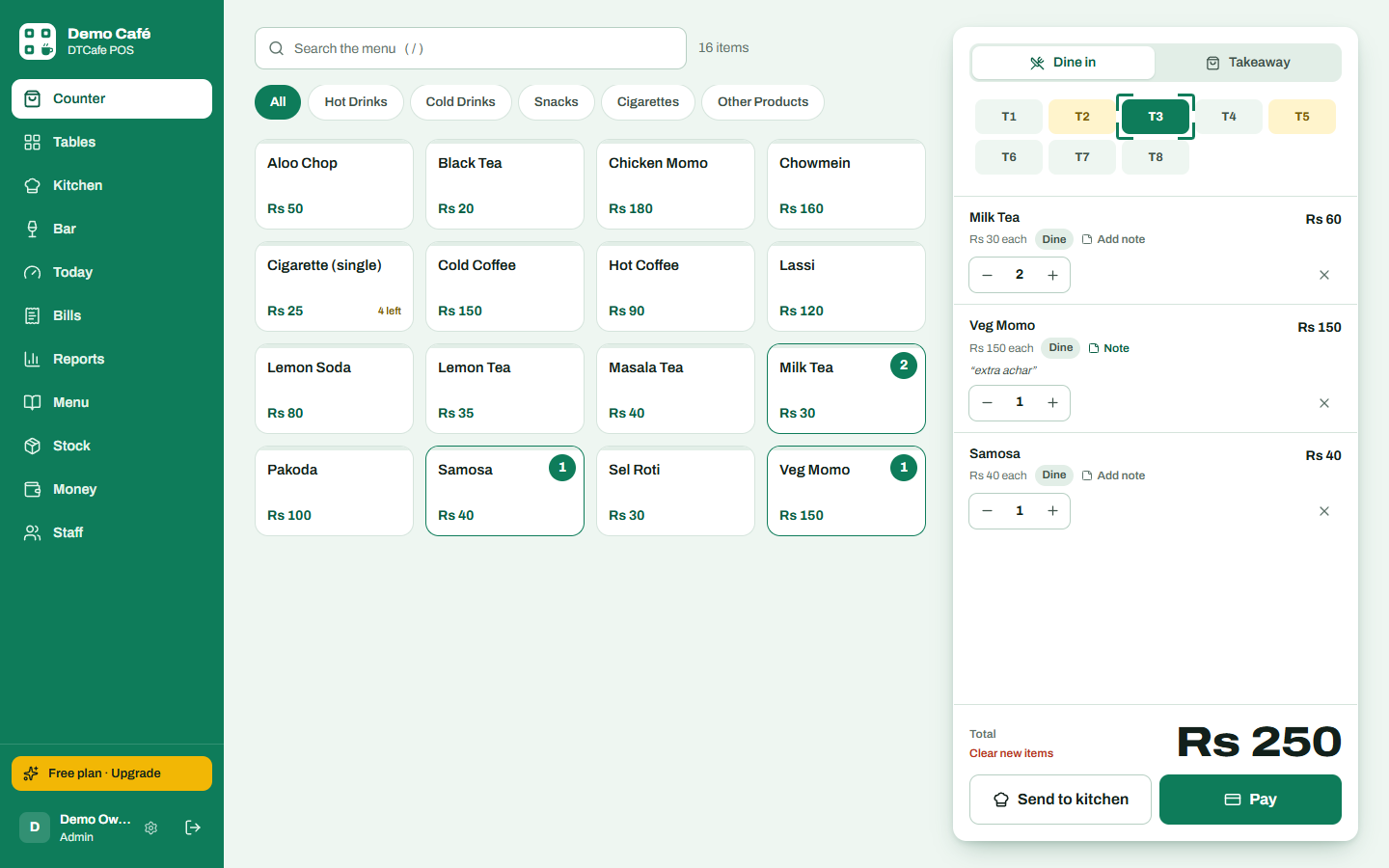
The counter confirming the diner order and sending it to the kitchen
QR ordering without fake orders.
Every table gets a permanent QR sticker. Diners browse your real menu and prices on their phone. When they tap “Place order”, their phone shows an order QR and a 6-letter code. A waiter scans it from their phone, or the counter scans it with a webcam or USB scanner. Only then does it become a real order and go to the kitchen.
Stickers never change. Print them once from the app; the link is fixed per table.
Staff stay in control. Pranks, wrong tables and double orders are stopped at the scan.
The counter sets the price. Items are re-priced from your menu when scanned.
Same QR can’t be used twice. Each order QR is accepted once.
Three screens, one café.
The Windows PC at the counter runs everything. Phones and the kitchen tablet connect over your Wi-Fi, so orders keep flowing even when the internet is down.
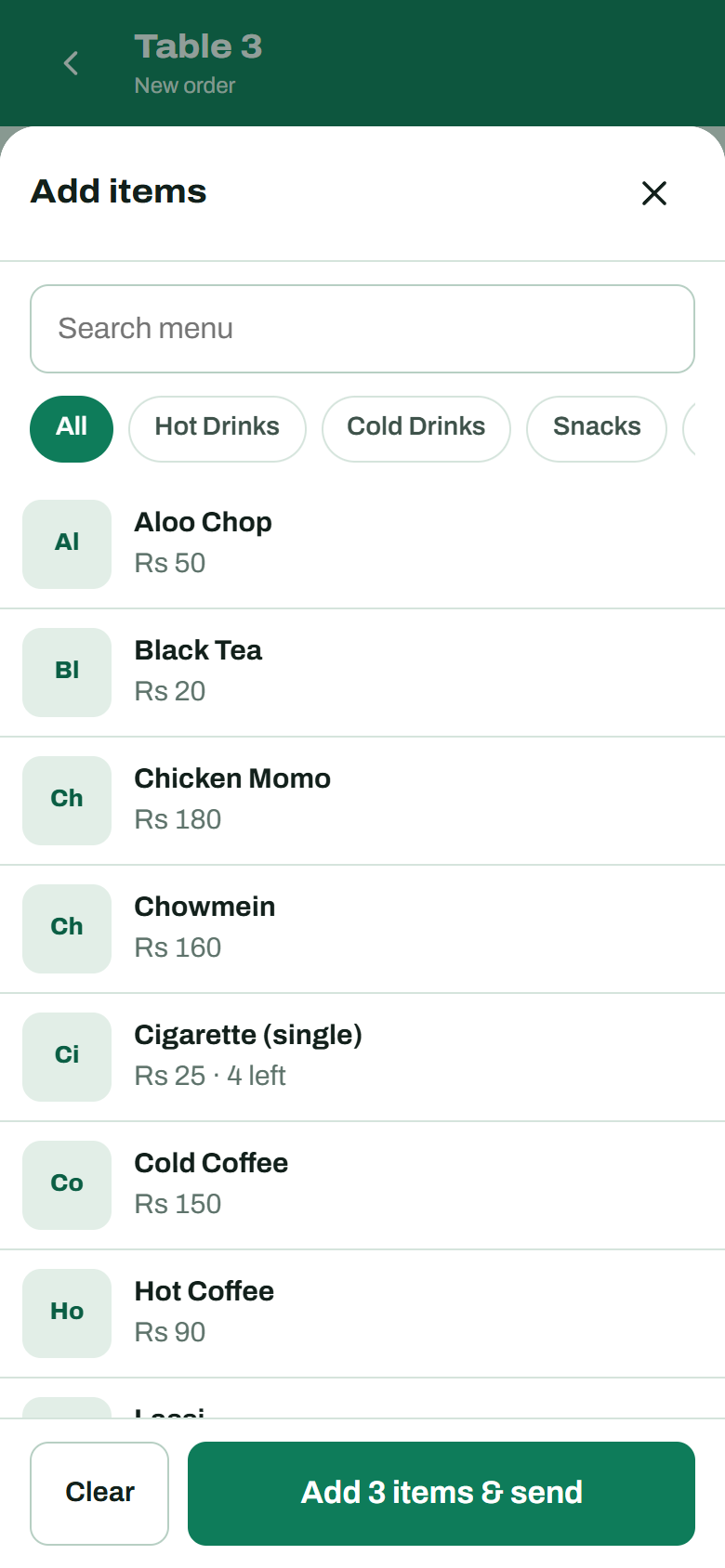
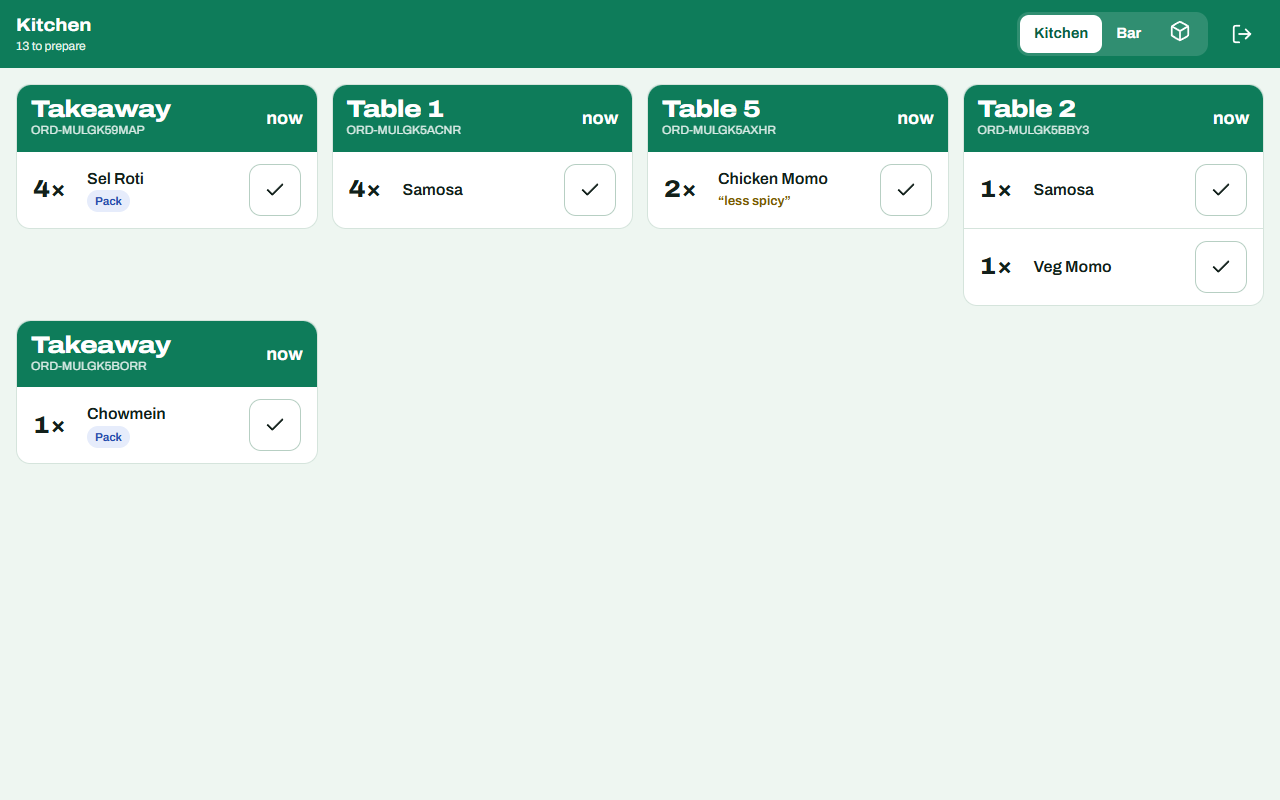
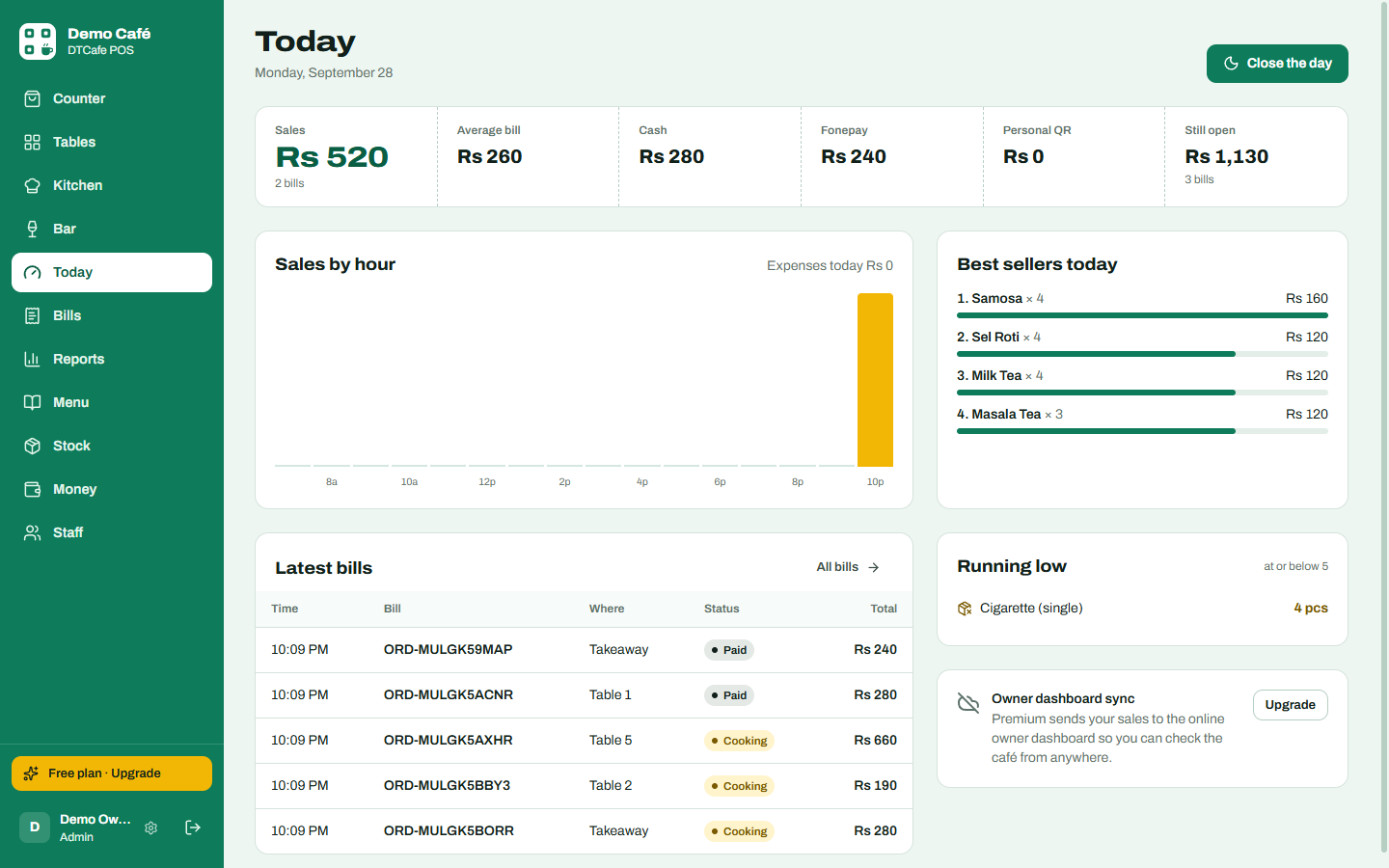
Counter. Tap items, pick a table, send to the kitchen or take payment in Cash, Fonepay or personal QR.Waiter phones. Take orders at the table; get a buzz when food is ready.Kitchen & bar. Food goes to the kitchen, drinks to the bar. Tickets turn yellow at 10 minutes and red at 20.
Screenshots from the app with demo data.
Check your café from anywhere.
With Premium, the counter PC sends bills, open tables, the kitchen queue, stock and money to your online dashboard every 20 seconds whenever there is internet. Sign in from your phone and see today’s sales, who is seated, what is still cooking and what is running low.
Yes. Billing, tables, waiter phones and the kitchen screen all run on the counter PC and your Wi-Fi. The internet is only needed for the online owner dashboard, diner QR ordering (the diner’s phone uses mobile data or your Wi-Fi) and licence checks. Changes wait and sync when the connection is back.
What happens when Premium ends?
Nothing is deleted. The app keeps billing on the free plan: Premium screens pause, reports show today and yesterday, and receipts show a small “Powered by DTCafe POS” line. Enter a new claim code and everything comes back.
What computer do I need?
A Windows PC or laptop at the counter. Waiter phones and the kitchen screen can be any phone or tablet with a browser on the same Wi-Fi. A receipt printer that works with Windows prints bills.
Can staff see things they shouldn’t?
Each person signs in with their own account and role: admin, manager, waiter/cashier, kitchen or bar. Waiters cannot open reports or money; the kitchen screen only shows tickets and stock.
Can I move to a new PC?
Yes. Save a backup in Settings → Backup & data, restore it on the new PC, then message us in chat and we move your licence.